From the main menu
- select relationship management.
- Under relationship management select Employees.
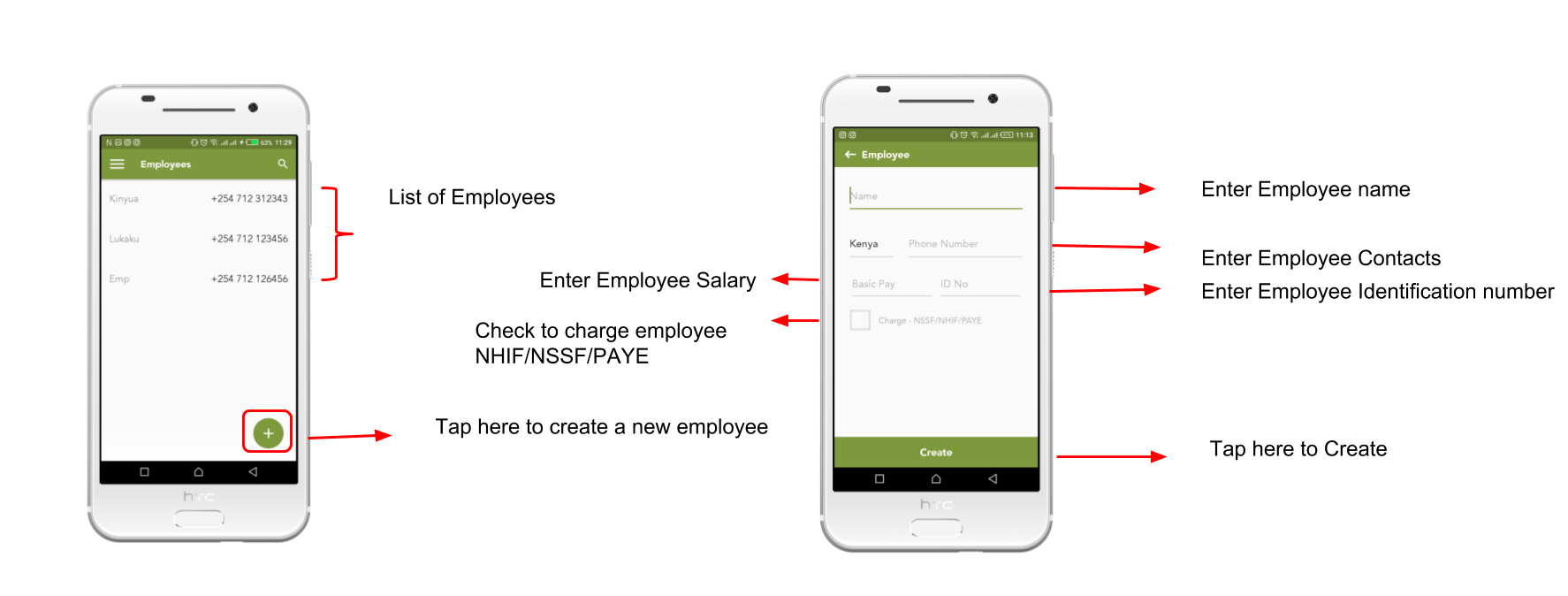
- When on the Employee module tap "+" to create a new employee
- Enter the required Employee Details and at Create button at the bottom of the screen

From the main menu
Comments
0 comments
Please sign in to leave a comment.